TL Pro
- 4.2
- Rating
- 100.00K
- Installs
- $2.99
- Price

 Analysis by App-foxy
I approached TL Pro as a utility for players who want to change the way Terraria feels rather than simply play another adventure game. PixelCurves presents it as a resource loader built around textures, maps, and cheats, and that description is important: this is not a separate campaign or a replacement for Terraria. It is a tool that sits beside the game and can make an existing world more flexible, more experimental, or easier to revisit.
That distinction shaped my experience. The value is not in opening it for a quick round and expecting instant entertainment. The value appears when I have a particular goal in mind: testing a visual change, loading a map, trying a shortcut, or preparing a different kind of Terraria session. If you enjoy adjusting games and exploring what is possible outside the standard progression, it has a clear appeal. If you prefer a completely untouched playthrough, the extra layer may feel unnecessary.
How fast does TL Pro feel in everyday use?
My first impression is that the app’s usefulness depends less on raw speed and more on how quickly I can move from an idea to an active resource. A loader is only convenient when its menus, files, and launch process stay understandable. TL Pro feels most worthwhile when I already know what I want to load. The less time I spend searching through unfamiliar resources, the more direct the experience becomes.
You May Also Like

 Pandora - Music & Podcasts
Pandora’s Music Is Easy to Start, but Harder to Recover
Pandora’s strength is its low-effort path from a seed to a station. Its weak spot is how much confidence it asks you to place in connection, setup, and quiet recovery.

 AccuWeather: Weather Radar
AccuWeather Review: A Quick, Clear Forecast for Everyday Decisions
For everyday plans, the best forecast is the one you can understand quickly. AccuWeather makes rain timing, radar, and local conditions easy to act on, with a few trade-offs.

 Hill Climb Racing
Why Hill Climb Racing Still Turns Crashes Into One More Run
A tiny car, a bumpy hill and one more upgrade: Hill Climb Racing keeps resurfacing because its simple chaos makes every near-miss feel personal.

 AliExpress - Shopping App
AliExpress Makes Global Shopping Feel Personal, but Shoppers Bear the Risk
AliExpress turns a global marketplace into a pocket-sized discovery engine. Its reach is useful, its shopping loop compelling, and its trade-offs easy to miss.

 Lords Mobile: Kingdom Wars
Lords Mobile Is a Kingdom-Building Routine, Not a Quick Match
A case-by-case verdict on the building, battles, device demands, and social commitments that make Lords Mobile rewarding for some players and exhausting for others.

 PDF Scanner app - TapScanner
TapScanner Makes Paperwork Easier to Capture, Check, and Share
TapScanner makes scanning with a phone feel less like a rescue operation and more like a dependable step in getting work done. Its capture tools are useful, though not flawless.
More From Our News Desk
View All News


The resource-loader format also changes expectations. Opening a texture, map, or cheat is not the same as launching a self-contained game. There can be a preparation step, and the result depends on the resource being used. A small visual change should be easier to manage than a large collection of modifications, while a map can require more attention because the point is to enter a particular prepared world rather than merely alter an appearance.
I would not choose this app because I expect every action to be instantaneous. I would choose it because it puts several kinds of Terraria customization in one place. That is a more useful way to judge its speed: can I reach the tool I need without confusion, understand what it is meant to do, and return to normal play when I am finished?
For a practical routine, I recommend starting with one resource at a time. Load a single texture or map, check the result, and only then add something else. This makes the process easier to understand and gives you a clear recovery path if the outcome is not what you wanted. It also prevents the common mistake of blaming the whole app when several changes have been introduced at once.
The store rating sits at 4.2 from around 26 thousand ratings, which matches my overall impression of a focused tool that appeals strongly to the right audience. It is not trying to be a broad adventure game on its own. Its speed and convenience make sense mainly for players who already understand why they want a resource loader.
What happens during heavier use?
The demanding moments are not necessarily the first tap or the menu itself. They arrive when I combine a larger resource with an existing Terraria setup, move between several options, or expect a loaded change to behave exactly like the original game. In those situations, the app becomes part of a chain: the loader, the selected resource, Terraria, and the device all have to cooperate.
That is why I would treat each addition as a controlled experiment. Before making several changes, I would keep a note of what was loaded and preserve an untouched version of anything important. This is especially sensible with a favorite world. A new visual resource is easy to remove conceptually, but a map or cheat can affect the way I approach progression and exploration, so separating experiments from a main save keeps the experience cleaner.
A realistic everyday scenario is a player who has a short evening available and wants to explore without spending the whole session gathering basic materials. I can see the appeal of loading a suitable map or using a cheat-oriented option to test a building idea, then returning to a regular world later. The benefit is control: the player decides whether the session is about discovery, construction, experimentation, or simply seeing how a different resource changes familiar surroundings.
There is a trade-off, though. Cheats can remove friction, but friction is also part of Terraria’s sense of progress. I would use them for testing, building, or a deliberately relaxed session rather than mixing them casually into a serious survival run. If the achievement of earning every item matters to you, the usual unmodified game is the better choice.
Heavy use also makes organization more important than it first appears. A resource loader can encourage collecting options faster than you actually try them. I found that the most sensible workflow is to keep a small active set, test changes separately, and remove anything I am no longer using. That approach reduces confusion and makes it easier to identify whether a problem comes from a particular resource instead of from the loader itself.
Stability, recovery, and returning to normal play
Reliability matters more here than flashy presentation. I want to know that a failed experiment will not ruin the way I normally play. My advice is simple: treat important worlds and familiar setups carefully, and do not make an experimental resource the only version of a session you care about. This is not a criticism of PixelCurves so much as a sensible habit whenever an external tool changes how a game is loaded.
The best recovery strategy is gradual use. Start with a texture, observe the result, and then try a map or cheat separately. If something feels wrong, undo the latest change rather than changing five things at once. This gives the player a practical troubleshooting method without turning every problem into a mystery.
I also prefer using it when I have enough time to check the result rather than just before an important play session. A few extra minutes spent confirming that a chosen resource behaves as expected can save a great deal of frustration later. That is particularly true when I am preparing a world for someone else or planning a building project that depends on a specific map.
One question many players will have is whether the app is suitable for a completely casual user. My answer is: partly. You do not need to be a technical expert to understand the basic idea, but you do need patience and a willingness to test changes. Someone who wants a single button that transforms Terraria without any decisions may find the process less comfortable than expected.
Another practical question is whether it replaces Terraria. It does not, in the way I used it. It is a companion utility, so its usefulness assumes that I already have the game and a reason to modify or prepare content around it. That makes the purchase easier to justify for an active Terraria player than for somebody who has never played the original game.
Device limits and resource demands
TL Pro supports devices running Android 7.0 or later, which gives it a reasonably broad compatibility range while still leaving older phones outside its target. Compatibility is only the first checkpoint, however. A device may meet the operating-system requirement and still feel less comfortable when handling a larger resource or switching between the loader and the game.
I would be particularly cautious on an older phone with limited free storage or little room for several apps to remain active. Resources, maps, and the game itself all compete for practical space and attention. Even without quoting a performance measurement, it is fair to say that a lighter setup is easier to manage than a crowded one. Removing unused resources and closing unrelated apps before a longer session is a sensible precaution.
The app is rated for Everyone, but that age label does not mean every use is equally appropriate for every player. A child may understand loading a new texture, while the cheat side can change the normal progression of the game. Parents who care about regular exploration and earned rewards may want to set expectations before allowing those options.
There is also a device-management trade-off. A larger screen can make menus and resource selection more comfortable, while a smaller phone may make repeated switching feel fiddly. Touch controls in Terraria already require familiarity, so adding a separate preparation step is less appealing on a device where reading and selecting items feels cramped.
For people asking whether it consumes many resources, I would avoid assuming that every resource behaves the same way. The practical demand depends on what is loaded and how much is being used alongside Terraria. A modest experiment is a different situation from maintaining a large collection and repeatedly switching between the loader and the game. Start small, watch how your own phone responds, and keep the active setup tidy.
Where it beats ordinary alternatives
The usual alternative is to play Terraria exactly as installed and accept its standard visuals, maps, and progression. That is still the cleanest option for a first playthrough, a shared world where everyone wants the same rules, or a player who values discovery more than experimentation. It has fewer moving parts and requires less preparation.
Another alternative is searching separately for resources, maps, or cheat tools and managing each one independently. That may offer more choice in some situations, but it can also create a scattered workflow. TL Pro’s main advantage is concentration: the player comes to one utility with several related purposes instead of treating every change as a separate project.
That convenience is also its biggest limitation. A single loader cannot guarantee that every resource will suit every device, play style, or version of Terraria. The more I expect it to coordinate, the more carefully I need to manage what I select. Players who enjoy tinkering will see that as freedom; players who want a frictionless game may see it as extra work.
I would recommend it to an experienced Terraria player who wants to test building ideas, explore prepared maps, refresh familiar visuals, or create a deliberately unusual session. It is also useful for someone who likes comparing different ways to approach the same game. I would skip it if my goal were a pure first run, a competitive environment with strict rules, or a simple adventure with no setup decisions.
What the current package tells me
PixelCurves has kept this utility available as a paid game-related tool rather than presenting it as a free add-on. The price is $2.99, so the decision depends on whether I will actually use textures, maps, or cheats more than once. For a player who only wants to try one small change, the standard game may be enough. For someone who regularly experiments, the single-purpose convenience is easier to appreciate.
The app was released on January 15, 2020, and its current version is 1.63.0. I mention that because version awareness matters with a companion tool: when Terraria changes or a resource is updated, I would check that my setup still behaves as expected instead of assuming every old arrangement will remain perfect.
Its reach is respectable, with over 100 thousand installs and around 2 thousand written reviews. Those figures suggest that it has found a real audience, but they do not remove the need for personal testing. The right question is not whether every player should use it. The right question is whether my own Terraria habits include enough experimentation to justify adding a loader to the routine.
My performance verdict
After looking at speed, heavier use, recovery, and device constraints together, I see TL Pro as a specialized utility rather than an effortless shortcut. It feels most effective when I approach it with a plan: choose one resource, test it, keep important worlds separate, and return to the standard setup when I want normal progression. That method makes the experience calmer and reduces the risk of confusing several changes.
The strongest reason to choose it is control, not raw convenience. I can shape a Terraria session around a visual experiment, a prepared map, or a cheat-assisted building task instead of accepting one fixed style of play. The cost is that I become responsible for the choices, the organization, and the recovery process.
For me, that is a fair exchange. I would recommend TL Pro to players who already enjoy Terraria and want a more adjustable way to use it. I would not recommend it as the first purchase for someone seeking a straightforward adventure, and I would be selective about using cheats in worlds where progression matters. Used thoughtfully, it adds a useful experimental layer; used without a plan, it can make a simple game session feel more complicated than it needs to be.
FAQs for TL Pro
01What is TL Pro, and what does it do?
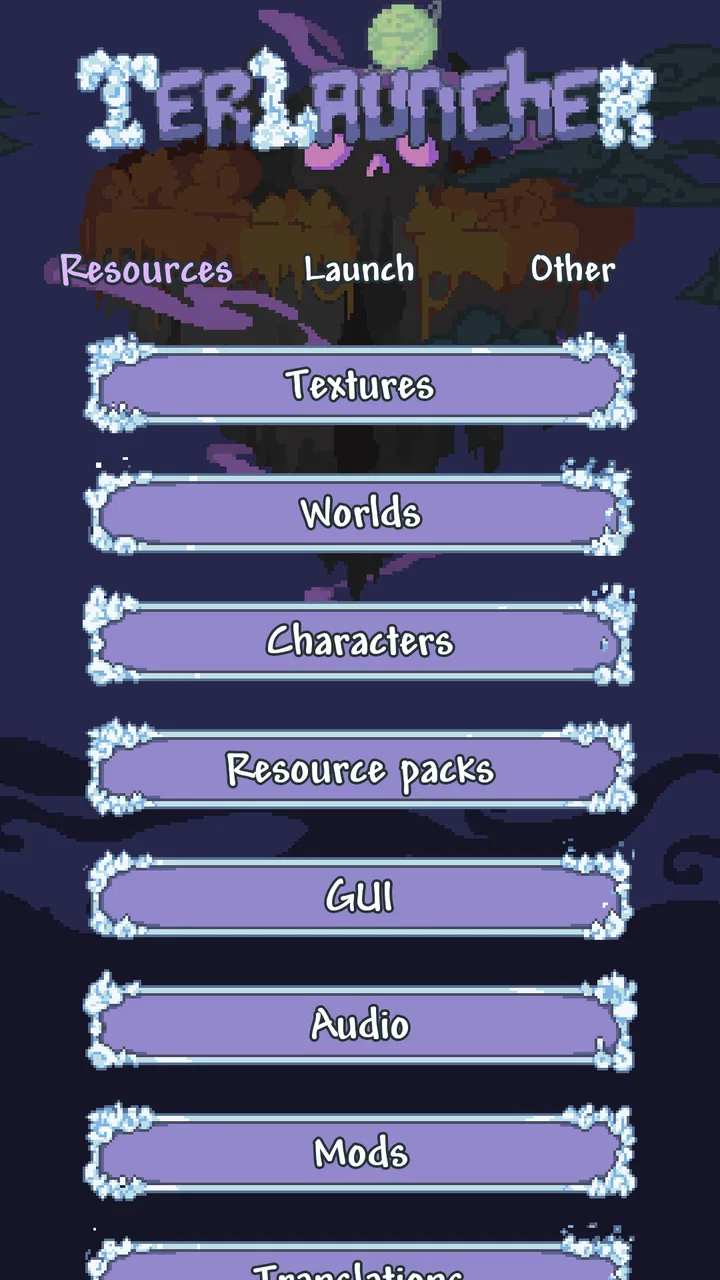
TL Pro is a utility and customization app for Terraria on Android. After installing it, players can manage resource packs, texture packs, worlds, players, and other game-related files from one place. It also includes tools such as a texture-pack browser, item database, and convenient access to game resources. Its main purpose is to make Terraria customization easier without manually searching through folders.
02Does TL Pro include Terraria, or do I need to own the game separately?
TL Pro is not a replacement for Terraria and generally does not provide the game itself. You should have the official Terraria mobile version installed on your Android device before using TL Pro’s game-management features. Compatibility can depend on the Terraria version and the device, so it is best to install both applications from trusted sources and keep them updated to reduce problems with importing packs or accessing saved game data.
03Can TL Pro install texture packs and resource packs automatically?
One of TL Pro’s most useful features is its ability to simplify the installation and management of Terraria texture or resource packs. Instead of moving files manually, you can usually browse available packs, download them, and activate or deactivate them through the app. However, not every pack is guaranteed to work perfectly, especially after Terraria updates, and some packs may require additional steps or may affect performance on older devices.
04Is TL Pro safe to use, and can it damage my Terraria saves?
TL Pro is designed to work with Terraria-related files, but any application that manages worlds, characters, or folders carries some risk if files are moved, overwritten, or deleted incorrectly. Before experimenting with packs or save-management tools, create a backup of your important characters and worlds. Download the app and any additional content only from reputable sources, and avoid granting permissions that are unrelated to its file-management functions.
05What permissions and devices are required for TL Pro?
TL Pro may require access to storage or selected files so it can read and manage Terraria worlds, players, resource packs, and related content. The exact permission process can vary between Android versions, particularly on newer devices with stricter file-access rules. Performance also depends on your phone or tablet. Older devices may handle large packs less smoothly, while available features can change according to Terraria and Android compatibility.
Pros
- Offers advanced tools for customizing and managing Terraria worlds.
- Includes convenient item
- NPC
- and world editing features.
- Can save time when testing builds or experimenting with gameplay.
- Useful for experienced players who want more control over Terraria.
- Supports creative play without requiring external desktop tools.
Cons
- Requires Terraria and may depend on the game’s current version.
- Advanced features can be confusing for new or casual players.
- Editing worlds may reduce the challenge and sense of progression.
- Some functions may not work correctly after Terraria updates.
- Accidental changes can damage or permanently alter saved worlds.

TL Pro
Gallery